DevRealm

Your workspaces manager.

Stop juggling folders, organize all your local repositories into intelligent workspaces with built-in insights, instant access, AI Configs and easy team sharing.

$curl -fsSL https://devrealm.app/install.sh | bash
hero

Features

Built for developers managing more than one local codebase.

01

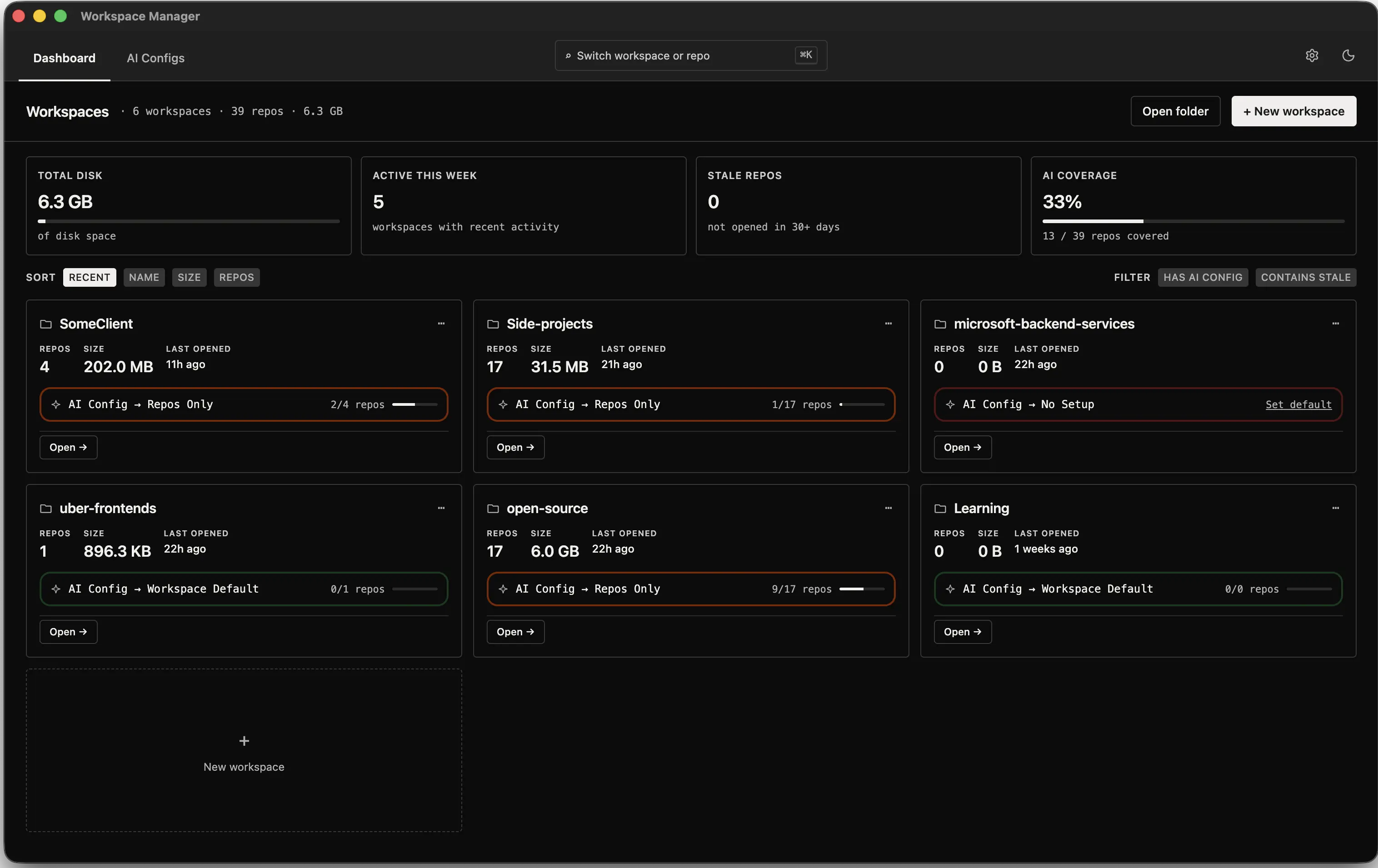
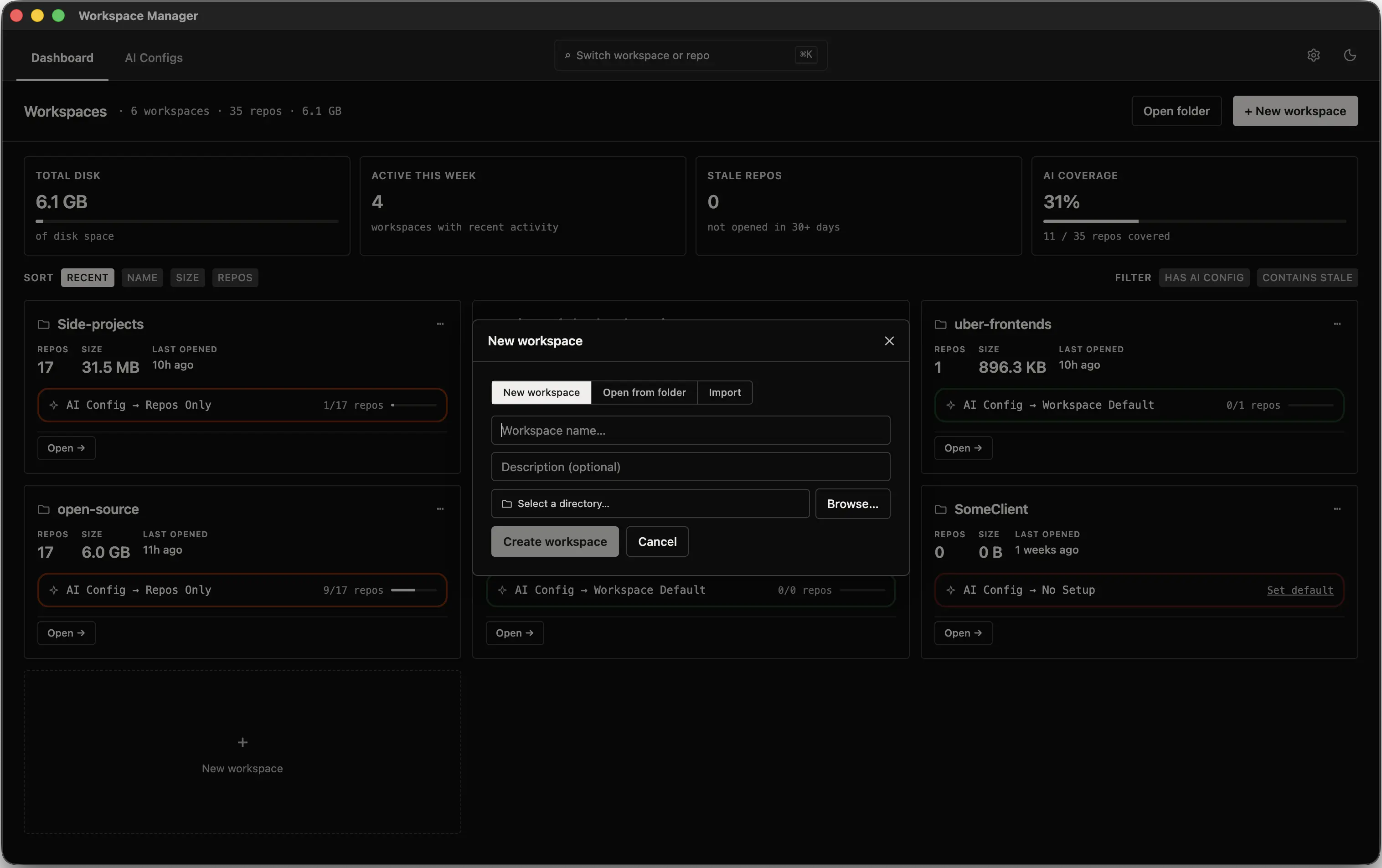
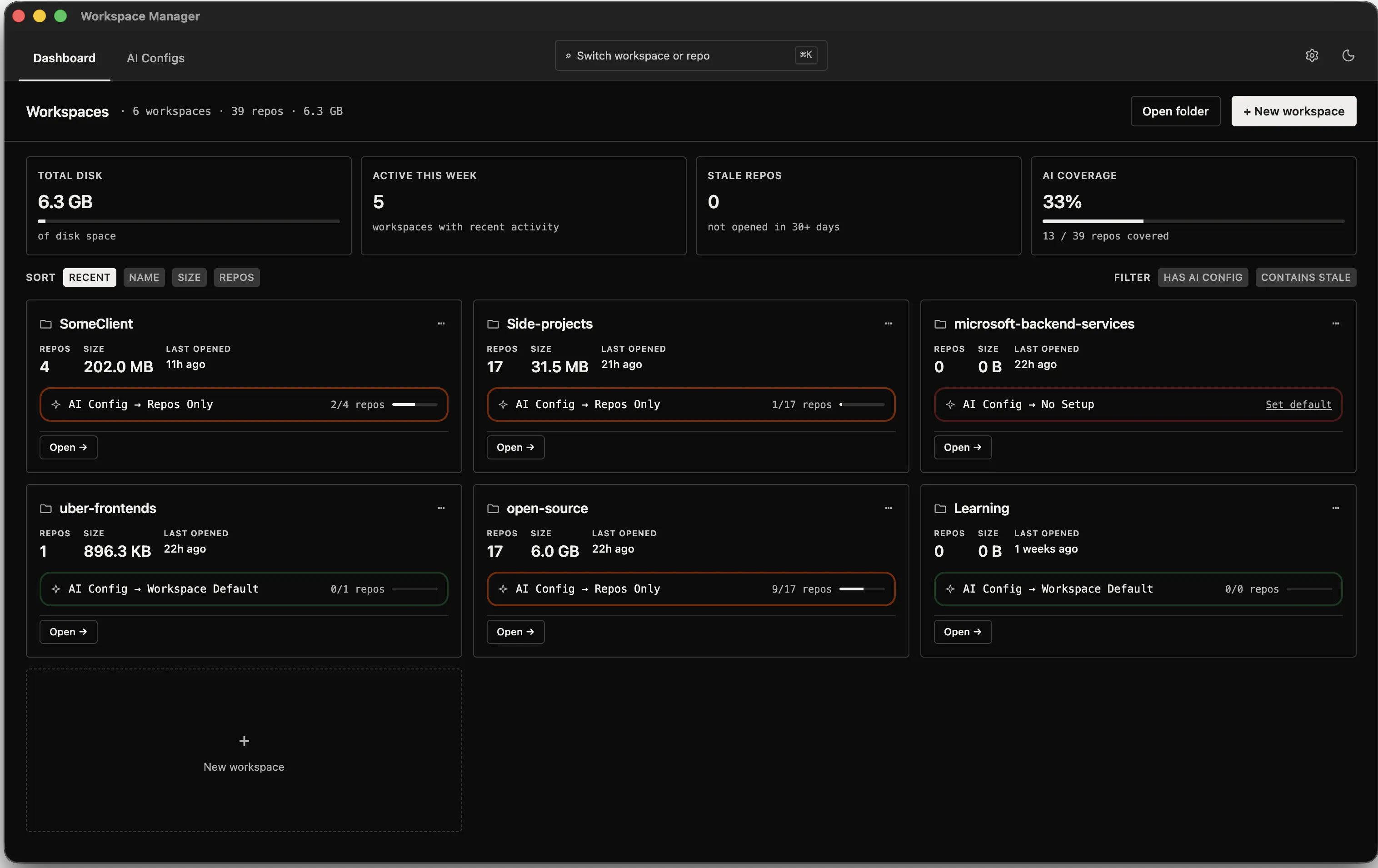
Stop losing track of local repositories

Keep related repositories grouped into clean workspaces instead of scattering them across random folders.

  • Create a workspace from a new or existing folder.
  • Organize repos by client, product, team, or service.
  • See all workspaces from one central dashboard.
  • Track size, activity, and stale repositories at a glance.
Workspace dashboard illustration
02

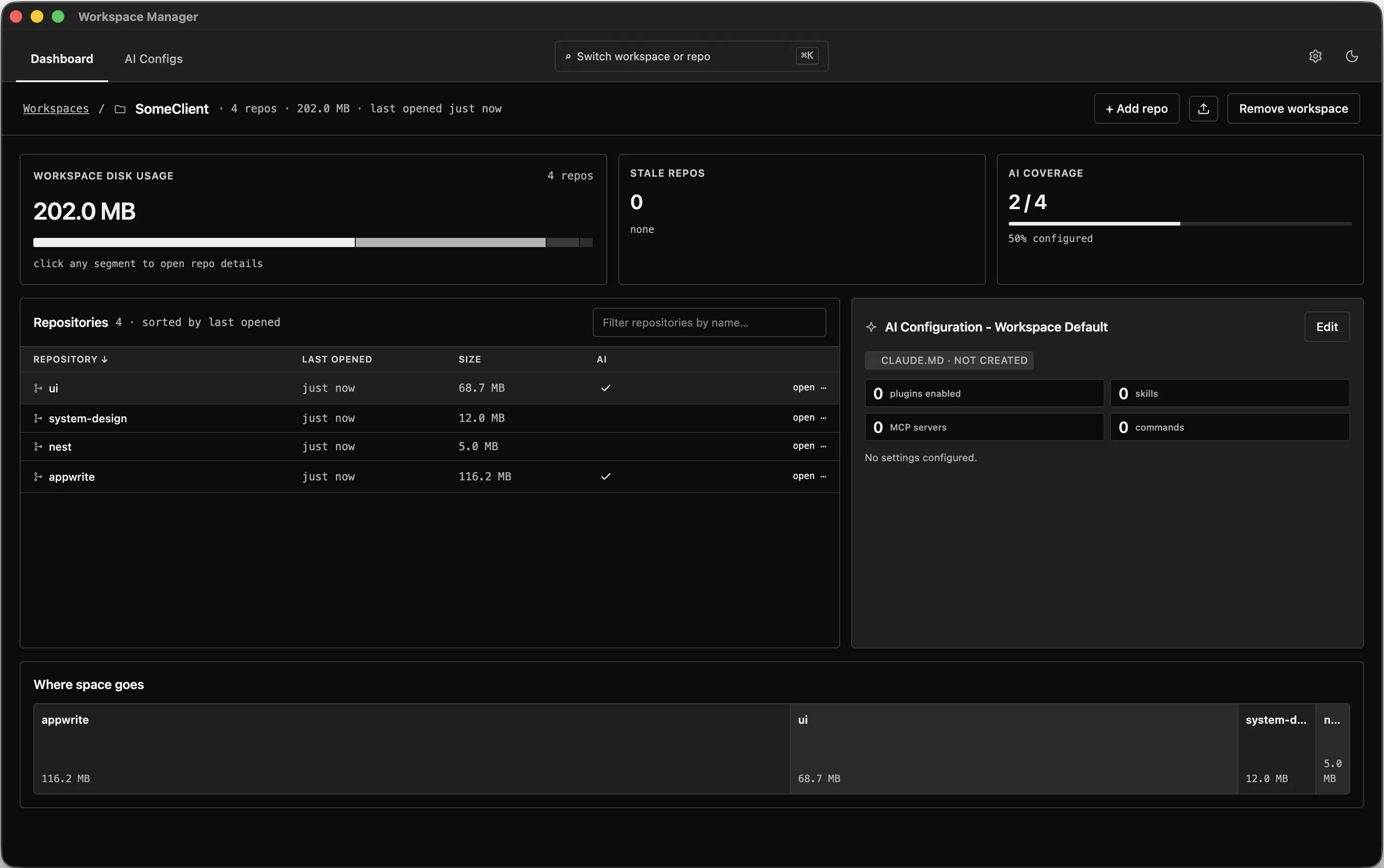
Understand every workspace before opening your editor

See what is inside a workspace, how much space it uses, and which repositories need attention.

  • View all repositories inside a workspace.
  • See size, last opened time, and AI status for each repo.
  • Understand disk usage with repository-wise breakdowns.
  • Open any repository directly in your preferred editor.
Workspace repository insight illustration
03

Open any repo without hunting through folders

Search across every workspace and jump into the right repository instantly.

  • Search workspaces and repositories from anywhere.
  • Use Cmd + K or Ctrl + K for quick access.
  • Open repos directly in VS Code or your configured editor.
  • Switch between projects faster during daily development.
Repository quick switcher illustration
04

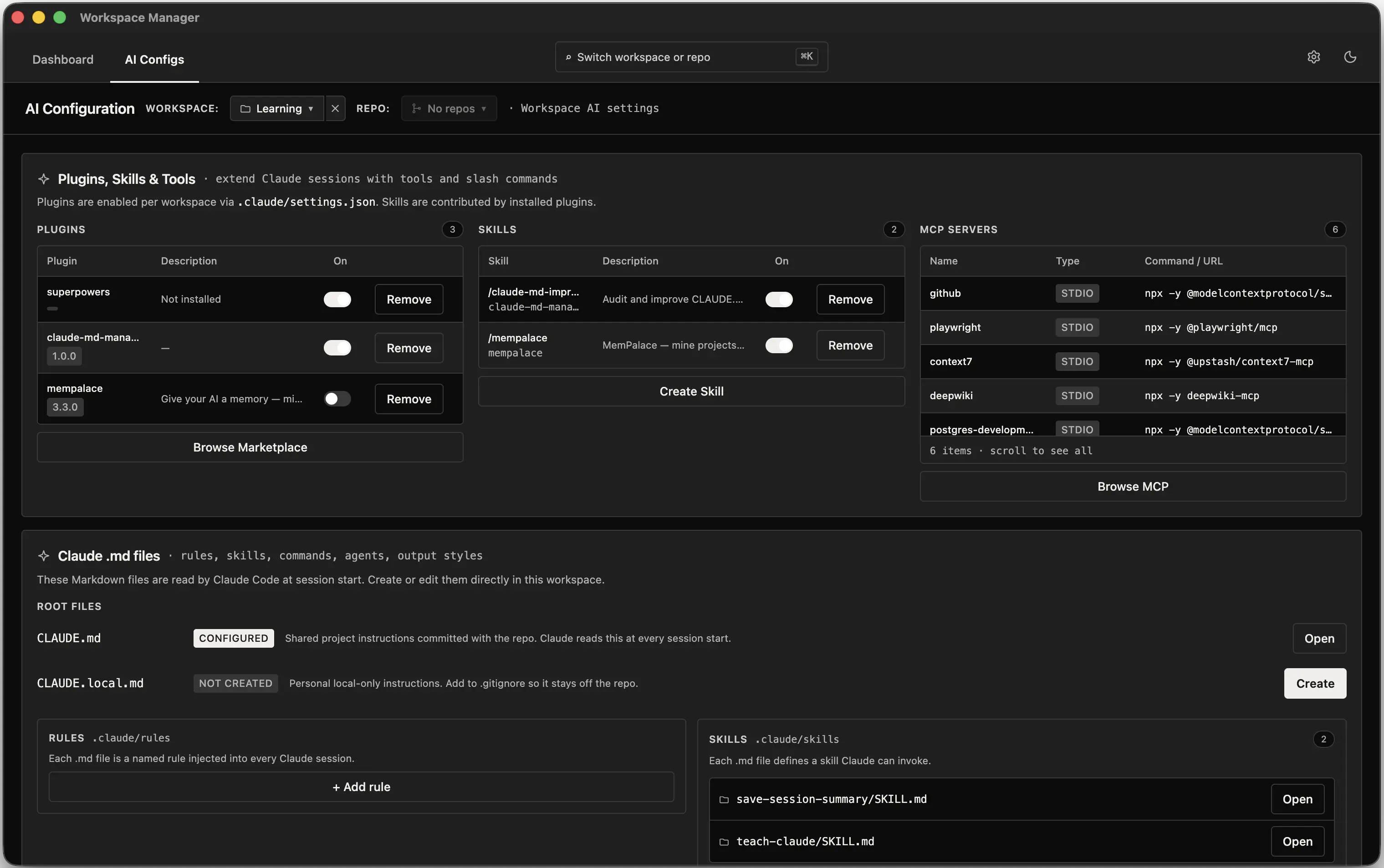
Make AI configuration visible and manageable

Inspect and manage Claude setup without digging through hidden folders, markdown files, or JSON settings.

  • View AI setup for each workspace or repository.
  • Check Claude files, tools, plugins, MCP servers, and rules.
  • Create, edit, and preview CLAUDE.md files in the app.
  • Review important Claude settings from a readable UI.
AI configuration overview illustration
05

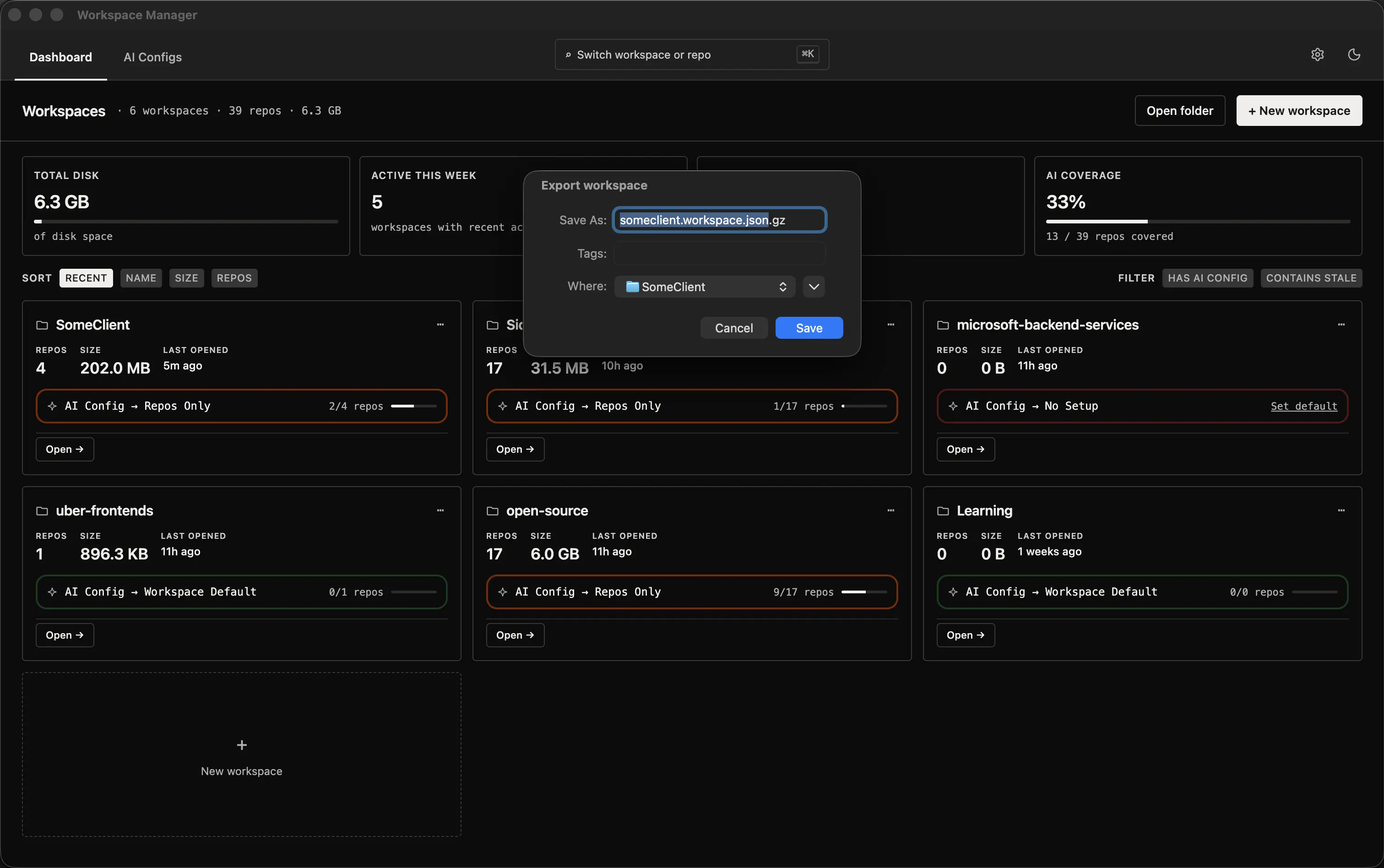
Share workspace setup with your team

Export a complete workspace structure so teammates can import it and clone missing repositories easily.

  • Export workspace setup as a JSON file.
  • Share repository structure with teammates.
  • Import workspaces on another machine.
  • Clone missing repositories directly from the app.
Workspace export and import illustration